










Breaking News
 Is Big Pharma Selling Postpartum Depression to New Moms?
 Make Men Men Again: Low T Is Now a National Defense Problem
 Druski: They're Lying To You About Overnight Success!
 $6.27 Diesel Just Hit Harvest. The Grocery Aisle Hasn't Felt It Yet.
Top Tech News
 Tesla Model 3 killer charges from 10 to 97% in just 9 minutes
 World-first unpowered DNA computer sets speed record
 I Power 5 Buildings Off-Grid. Here's How
 The US government is pushing hard to get a working nuclear fission reactor into space by late 2028
 SpaceX Starmind AI in Space Radiator
 China Will Dominate Global Nuclear Energy Through 2035, Analyst Says
 These Absolutely Wild-Looking EVs Are Saudi Arabia's First Homegrown Cars
 BEYOND THE MOON: NASA plans a nuclear-powered fleet to push DEEPER into space
 Big Oil Backs Mazama's $135 Million Bet On Superhot Geothermal
 Quantum compass takes flight on Northrop's Lumberjack drone


Scan and print anything from your phone
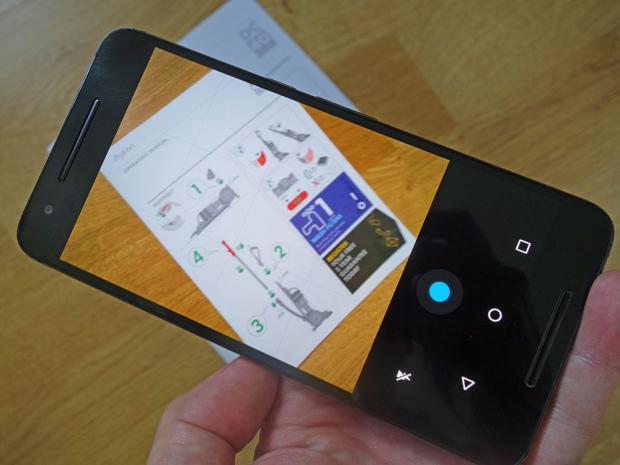
Companies like Apple and Google are eager for mobile users to do more of their computing on the go, and that extends to printing and scanning. It's easier than you might think to print out a PDF or to scan in a document using nothing but your phone.As you might have expected, there are apps for all of these tasks, and if you know the right ones to use you can greatly increase your mobile productivity. These are the apps you need to know about, and how to get them working for you.
As you may have noticed, your smartphone comes with a camera attached, which can double up as a scanner. You might not get the high-resolution, pixel-perfect copies you would from a real flatbed scanner, but these cameras are usually more than capable when it comes to scanning documents and forms.
Several apps will do the job for you, or you can snap a picture using your phone's default camera app and store your scan as an image somewhere. If all you're scanning are images (perhaps photos from an old album), then this is probably the best approach.